Releases
The highlights, and why they matter. For every change, see the changelog.
The story behind what shipped, grouped by month. For the full, granular record of every change, see the changelog.
August 2026
August rebuilt the two screens you land on, put a real number on the AI so you can see where you stand before it runs out, and tightened what can leave your workspace. For the full, granular record, see the changelog.
A workspace you can find your way around
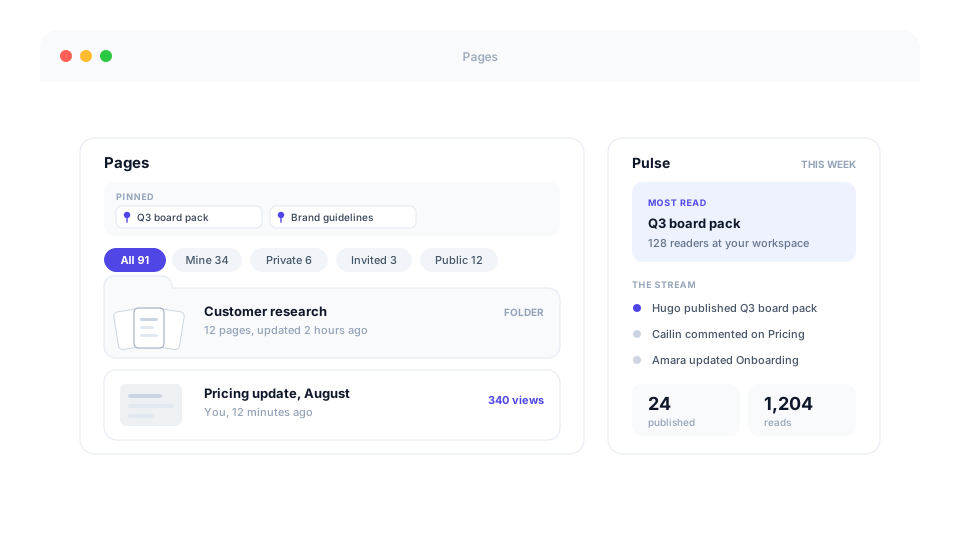
Both of the screens you land on were arranged for filing things away. They are arranged around what is happening instead.
- Everything in one list, newest first. Thirty two folders in alphabetical order used to stand between you and the page you edited ten minutes ago. Now whatever changed last is at the top, folder or not, and a folder shows you the three pages inside it instead of making you open it to remember.
- Pin the ones you open every week. They sit on a shelf above the list, either just for you or for everybody, so the board pack stops being something you go looking for. Anyone can take a shared pin down again, and undo it if that was a mistake.
- Find things by how they are used. Filters for Mine, Private, Invited and Public, each carrying a count, and sorting by Most viewed and Most discussed alongside newest and title. A filter that would not change the list does not appear at all.
- Pages stays how you left it. Your sorting, grouping and choice of gallery, compact or list follow you to your other devices. A link you send still shows the other person exactly what you were looking at.
- Things shared from another company have a screen of their own. A page or presentation somebody at a different workspace invites you to used to sit above your own pages, where the search could not find it and the filters did not apply to it.
- Home is now Pulse, and it is about everyone else. It used to count your own pages back at you, which is a blank screen if you are one of the people who mostly reads. It opens with the week's most read page now, then everything your colleagues have published, changed and commented on. Signing in lands on Pages, so Pulse is somewhere you choose to go.
- A new workspace is shown the way in. Pages and Slides each lay out how to start, an invitation now survives you signing up for an account, and every new workspace gets a short tour of Slides alongside its demo page.
Plans that fit a small team, and AI you can see
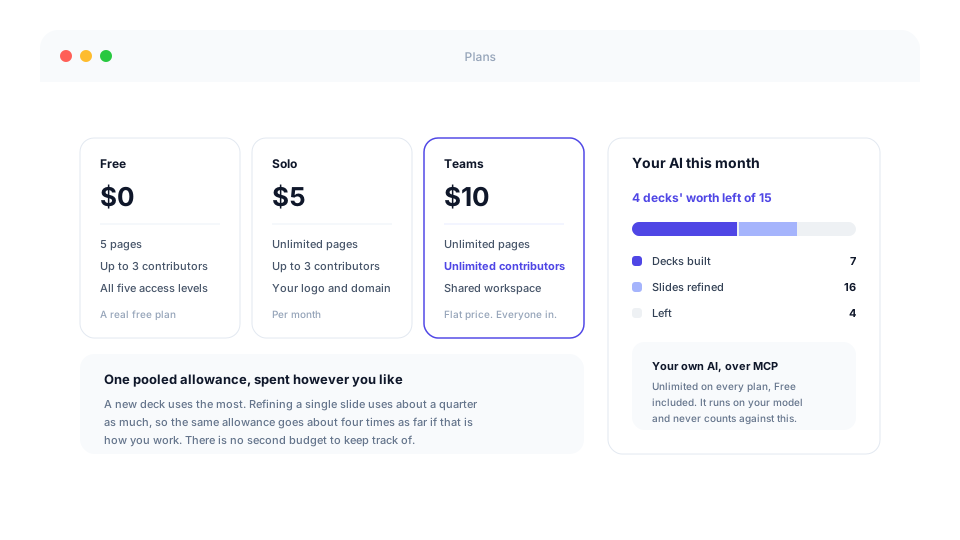
Your pages should be free enough that a team says yes without thinking. The one thing that costs real money every time you use it is our own AI, so that is now the only thing with a number on it.
- The free plan now fits three people, not one. It used to stop at the second person without saying so: your colleague signed up, quietly got a workspace of their own, and neither of you found out. Three of you can now work on the same pages for nothing. Free holds five pages in exchange, and reading and commenting stay unlimited for everyone, on every plan.
- Six AI presentations a month on the free plan, up from three. Three was enough to watch it work once and not enough to find out whether it suits you, which is a strange place to stop somebody.
- One allowance, spent however you like. Refining a single slide draws on it now, at about a quarter of a whole deck, which is roughly what it costs us. So a month can be four new decks, or one deck polished sixteen times, or any mix you like. Nothing is taken unless the edit actually lands on your slide.
- You can see where you stand before you run out. A marker beside the AI box in the editor turns amber at about a quarter left, and the allowance page shows what you spent it on rather than only how much is gone.
- Somewhere to go when it does run out. Move up a plan, buy a one-off pack for this month, or connect your own AI, offered where you were typing rather than in a pop-up, with your half-written instruction kept.
- Your own AI stays uncapped and free. Connected over MCP on every plan including Free, it runs on your model and your bill and never counts against any of this.
Safer with what you write, and clearer about what leaves
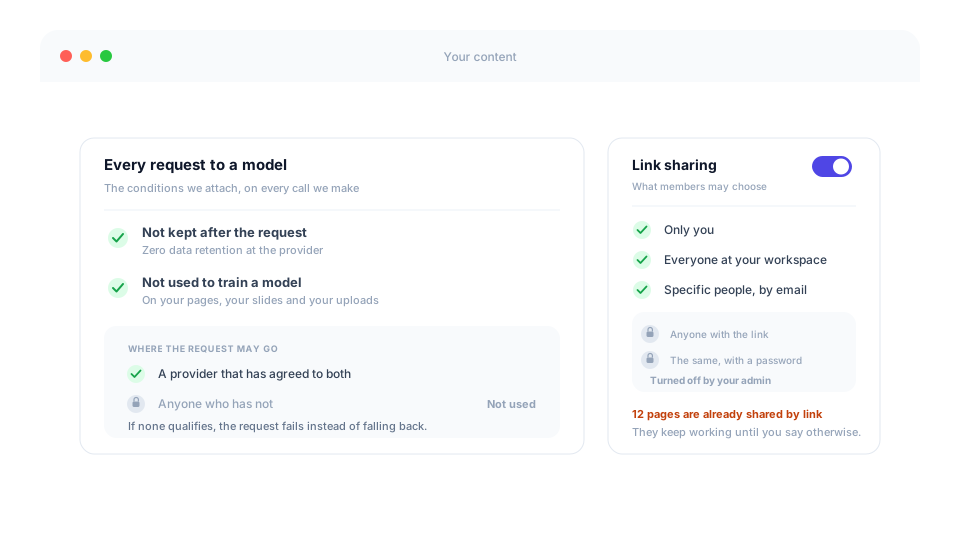
Two questions worth being able to answer plainly: where does what I write go, and what can somebody outside the company open.
- Your words are not somebody's training data. Every request we send to a model, from building a deck to re-authoring a PowerPoint you uploaded, now asks for two things: do not keep this, and do not learn from it. If no provider will agree to both, the request fails rather than quietly going to one that would. Our subprocessor list says where the limit of that sits.
- An admin can stop pages leaving the company. Switch open links off and everything goes to your workspace or to named people only, including anything your AI assistant publishes. It is off until you turn it on, and turning it on shows you what is already out there rather than quietly breaking the links people rely on.
- See what is already out there first. Turning it on shows you how many pages and presentations are currently reachable by a link, so you can go through them yourself. Links people already rely on keep working until you say otherwise.
- The share window says when sharing by link is off. With the reason, and with the options still on screen, instead of letting you pick one and then failing on Done.
- Slides written by an assistant are checked against your own theme. A colour that is not in your palette, or text shrunk to make it fit, now comes back as a warning on the slide rather than as something you find later standing next to the rest of the deck.
- A complete record of what was deleted. Deleting a presentation is written to the audit log, the way deleting a page always was, with who did it and how.
Also in August
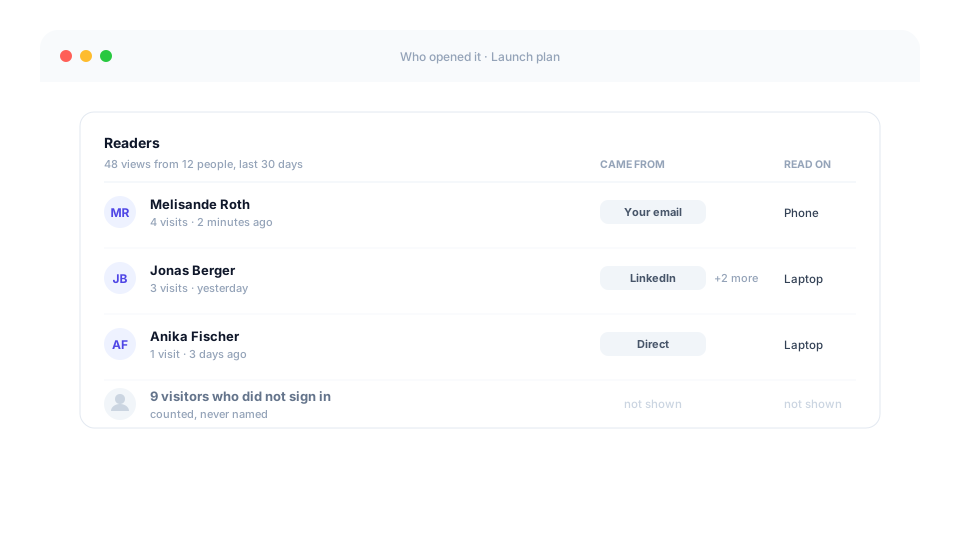
The rest of the month, in brief.
- Support in one step. Write your question in the app and press Send. Your workspace, your plan and the page you were looking at come along with it, so there is no setup to describe first. A copy arrives in your inbox and you can simply reply to it.
- Cancel without signing in. Cancellation and withdrawal now sit at the foot of every page, so losing access to your account no longer means you cannot stop paying. Anyone can also report a page they believe is unlawful, account or not.
- A faster, lighter app. The slides editor was carrying 316 KB of code that never did anything for you, every public page now brings only the words it actually shows, and notifications stop checking while a tab is out of sight.
- See how people found what you sent. For readers you can already name, the report shows where they arrived from and what they read on. Visitors who are not signed in stay anonymous, deliberately.
- Sign in with Microsoft. Alongside Google and email, for everyone whose work account is a Microsoft one.
- Duplicate a presentation. A full, independent copy for the deck you rebuild every month. The copy starts private, whatever the original was, so nobody gains access by accident.
- A page you write yourself keeps what visitors put into it. The built-in store is now in place before the page's own scripts run, so a page that checked for it is no longer told it is not there.
- One email an hour per page, not per block. A page holding a form and a checklist used to send two near identical emails in the same second.
- Links work wherever your page is opened. Including inside LinkedIn, Instagram and other in-app browsers, where they used to do nothing at all.
- Create with AI says when it cannot open a link. Pasting a Google Slides or Docs address used to produce a confident presentation invented from the title alone. It now asks for the text, the file, or a ShareMyPage page instead.
July 2026
ShareMyPage went live at the end of June, so July was its first full month. It stopped being only a place to host a page you had already made, and became a place where you make the thing in the first place.
ShareMyPage makes slides now
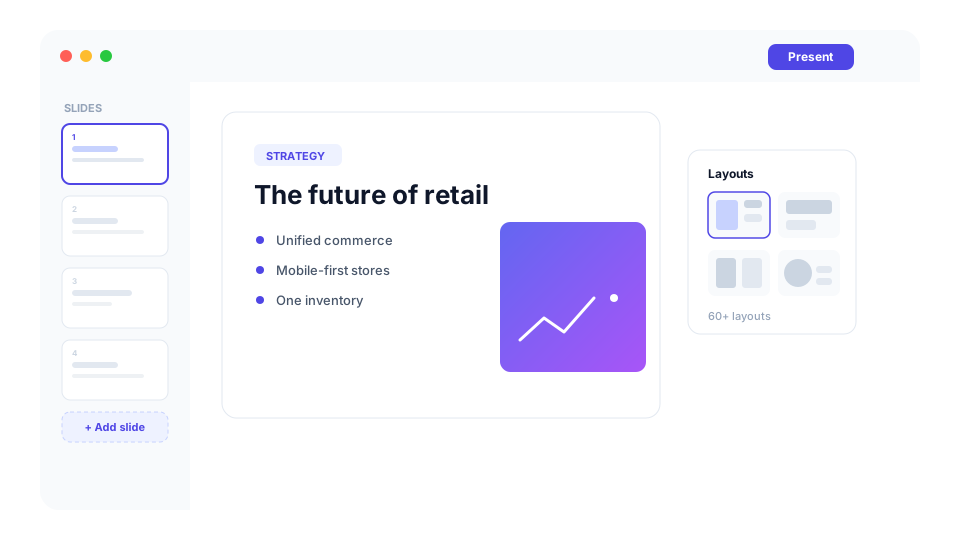
At the start of July there was no way to build a presentation here. There is now, and it is the biggest thing that happened this month.
- A real presentation maker. Build a deck beside your pages: click anything to edit it, choose from more than sixty layouts, drag slides into order, and step back through any earlier version.
- Describe it, and it builds. Tell it what you need and get back a complete, on-brand deck of up to twenty slides, opening on a proper cover and closing properly too.
- Or start from what you already have. Point it at a page you host, or upload a PDF, a PowerPoint or a Markdown file, and the slides follow that content instead of being invented from a one-line summary.
- Your brand, not ours. Set your colours, fonts and logo once, and every new deck picks them up on its own.
- An AI editor that checks its own work. Ask for a change in plain language. It makes the edit, looks at the result, and corrects what it got wrong.
- Take it anywhere. Download it as a PDF you can still select text in, as a set of high-resolution images, or as a single self-contained file.
- Hand it over like a page. A shared deck opens with your branding, comments and a view count. Collaborate invites the few people who edit it, Share sends the finished thing to everyone else, and every new deck starts private.
- Comment on the slide itself. Comment on a single slide, highlight text to comment on exactly that, and @mention a colleague to pull them in.
Pages that collect answers
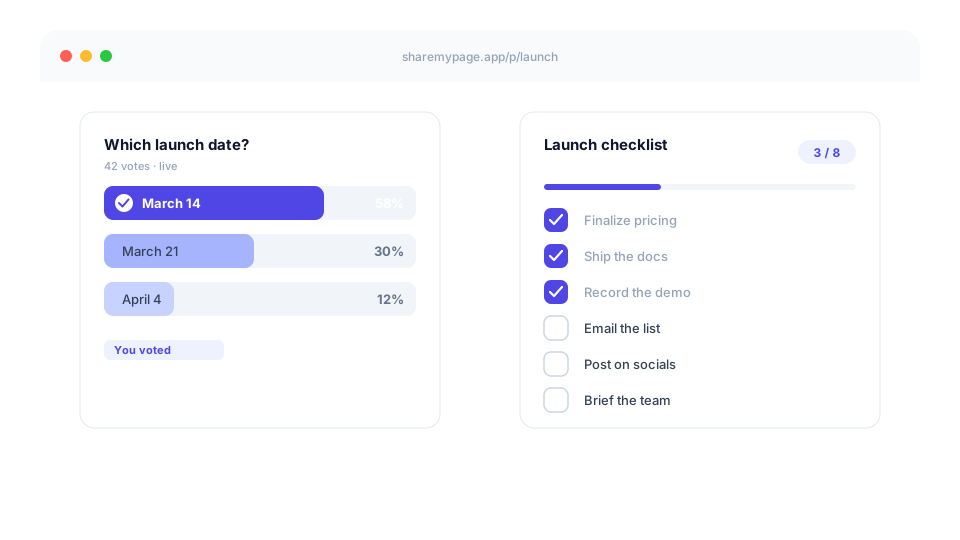
A hosted page used to be something people read. It can now ask them something back, with no backend of your own.
- Live polls. Drop an
<smp-poll>into a page and readers vote on it. The tally updates for everyone and stays put. Close it, pause it, reset it or export it whenever you like. - Intake forms.
<smp-form>covers dropdowns, single and multiple choice, numbers, email and free text, which is most of what an RSVP or a sign-up needs. - Shared checklists.
<smp-checklist>turns a launch plan into a board everyone ticks off, updating without a refresh and styled by your own page. Readers can add items too, so the list keeps up with the work rather than going stale. - Answers you can use. Every response exports to a spreadsheet, one column per question, in the order you asked them.
- You hear about it. An email arrives when responses come in, with one click through to the results.
The app grew up around your work
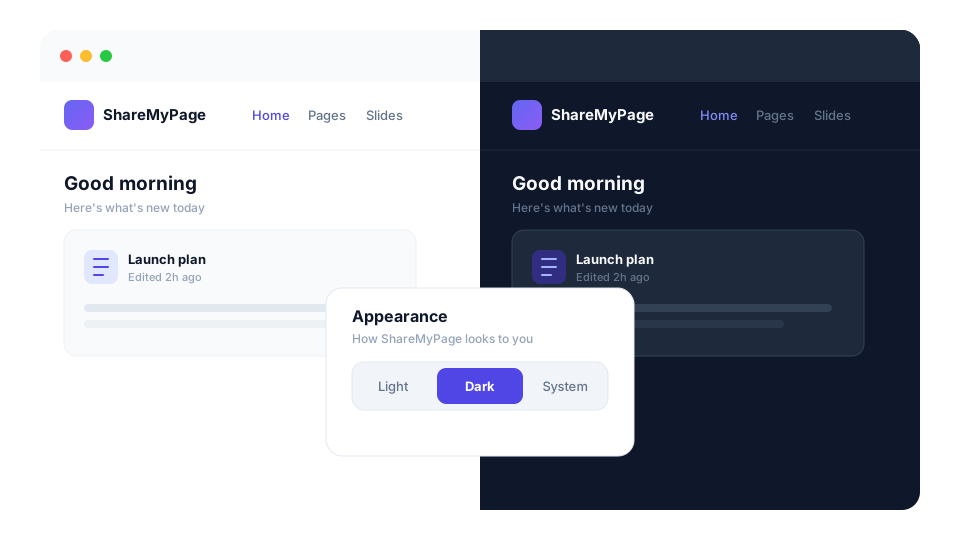
A month of individually small changes that add up to an app that feels different from the one you signed up for.
- A home base. Home opens on whatever needs you: unresolved comments and mentions from across your work, thumbnails of what you had open last, and view counts that open a fuller report.
- Dark mode. Light, Dark or System across the app, and on shared pages too, where it follows your reader's device while your page still looks exactly as you designed it. Upload a dark-background logo and it swaps itself in.
- Always knowing where you are. The folder something lives in is a clickable trail in its header, browser tabs carry the name of what is open rather than the site name, and the app has a bit more depth to it.
- A page header that means something. Every action has an icon, Share is the one filled button, and a divider separates what a visitor can do from what only your workspace can. Your read count is in plain sight and opens a 30-day report, and settings sit in tabs instead of one long scroll.
- Images in pages. Drop one straight in, or have a connected AI tool add it for you.
Built for the AI tools you already use
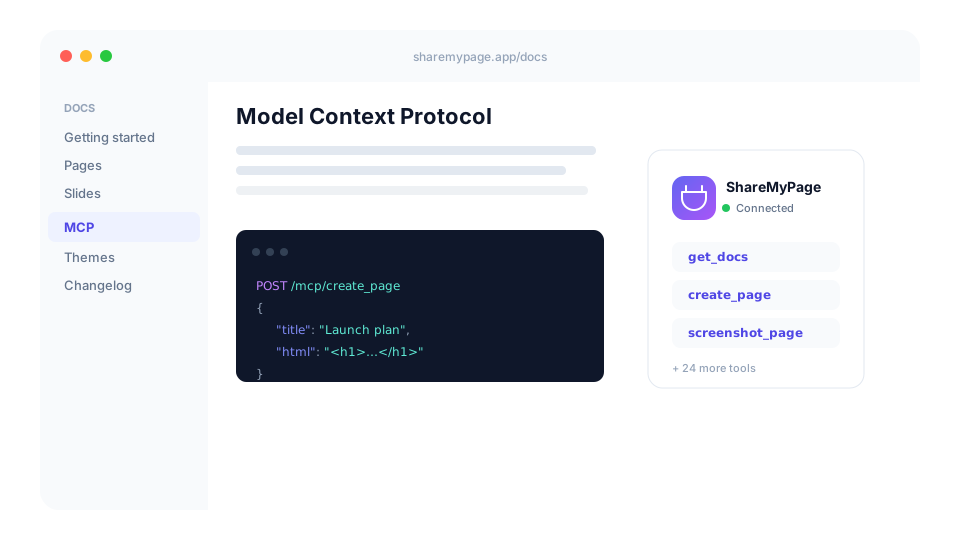
The connector is how most people meet ShareMyPage in the first place, so it got a month of attention of its own.
- Real Markdown. Publish Markdown as it is, and download a page back with its source intact.
- A model that can see its own work. A connected AI can take a picture of the page it just built and check it, and it designs from the same guide our own AI follows.
- Docs your AI can read. The full documentation is available to the model as well as to you, at /docs, with search and dark mode.
- Big things, moving cleanly. Upload and read back large pages and PowerPoints without running into a size limit.
- Built from what you tell us. Send feedback straight through the connector when something gets in your way. A good number of the tools above exist because somebody did exactly that.
Also in July
The rest of the month, in brief.
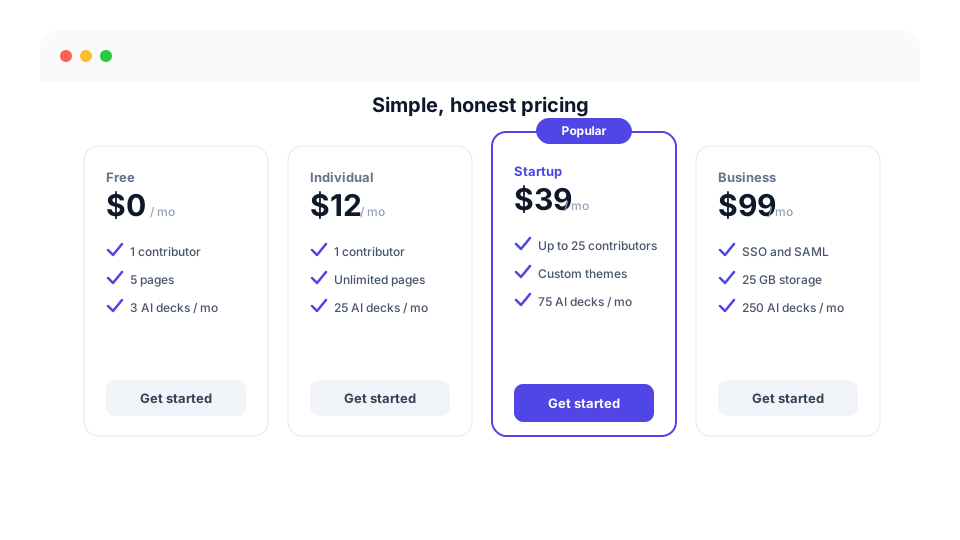
- Pricing in plain language. Free, Individual, Startup, Business and Enterprise side by side in English and German, each leading with how many people it covers and how much built-in AI comes with it. Workspace settings show what you have used, what is left, and when it resets.
- No surprise downgrades. A failed payment keeps your plan while it retries, and only ends it when the subscription actually ends.
- Room for your images. Hosted images count toward a storage allowance you can see, from 100 MB upward. Your pages and presentations themselves stay unlimited, and nothing is ever deleted for you.
- Your data, on your terms. Deleting your account releases everything it touched, and viewer identity drops out of your analytics after twelve months.
- A homepage that shows the product. A live demo in the hero, a gallery of real pages you can open, a brand page with a logo kit to download, and the story of who is behind this.
June 2026
ShareMyPage launches
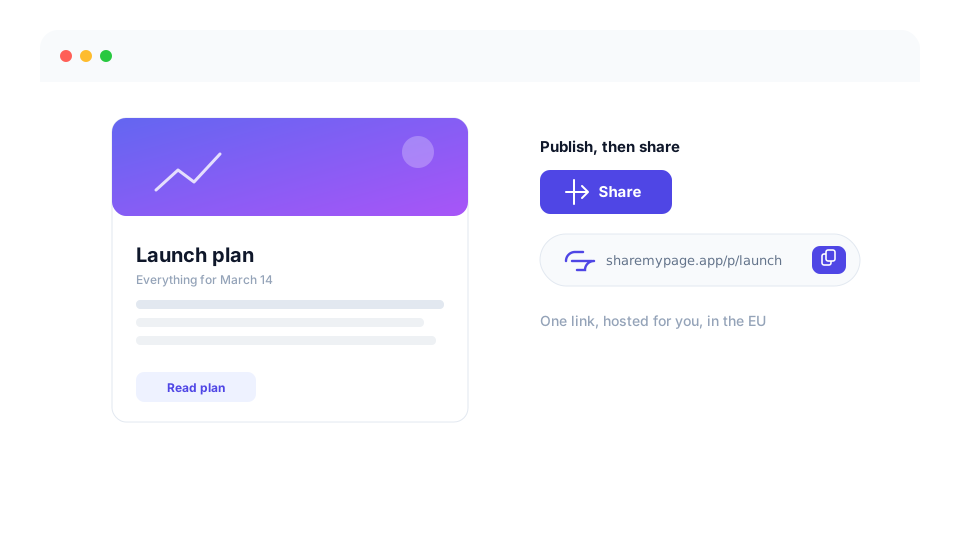
The founding month. ShareMyPage went from a design spec to a working product: a shareable, access-controlled web page you host and send as one link.
- Host a page, send one link. Publish a page and share it with a single address. The content runs in its own sealed frame, so it cannot reach anything around it.
- Private, and kept in the EU. Pages sit in private storage and are handed out only to a request that proves it is allowed, from servers in the EU.
- Feedback where it happens. Highlight anything on a shared page to comment on that exact spot, with a notification centre so you do not miss a reply.
Built for AI from the start
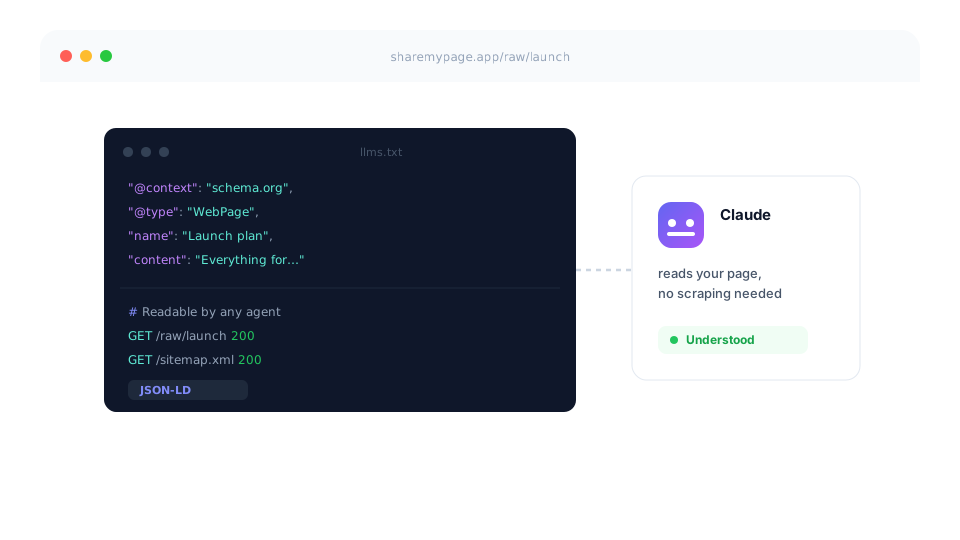
AI tools could not create pages yet, so the first job was making sure they could find one and read it properly.
- Readable by machines by default. Every public page has a clean, machine-readable view alongside the normal link you send to people.
- Findable by assistants. Structured data, an llms.txt and a sitemap, so an AI tool can work out what this service is and how to use it without being told.
- Ready to connect. The groundwork for signing in and connecting an AI tool safely, laid before the connector directory existed to list us.
Workspaces, brand, and sharing
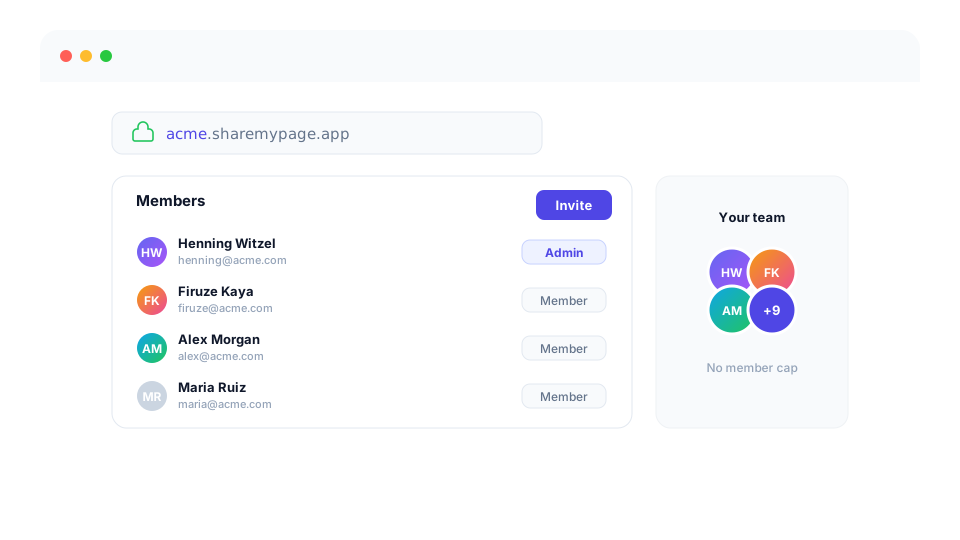
Solo pages became team-ready, and Pro pages could carry your brand.
- Bring your team in. Workspaces with real members and roles, joined by invitation or by a link you share once.
- Your own address. A Pro workspace gets yourname.sharemypage.app, with a landing page to match.
- Pages that look like yours. Your logo and your brand colour on the shared page, and folders to keep everything in order.
Analytics, plans, and a blog
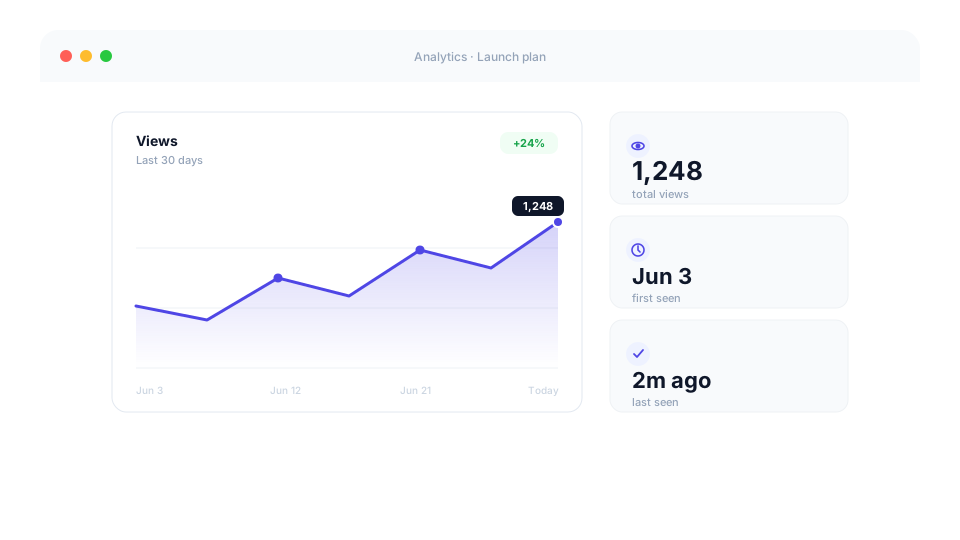
The product gained the numbers, limits, and content surface a real service needs.
- Numbers without a cookie banner. See how a page is doing without asking your readers to accept anything first, and with their own content kept out of session recordings. Pro adds a chart over time, first and last seen, and the full list of who opened it.
- Limits you can see coming. The Free plan shows you where its edges are, on page count, page size and API tokens, as you approach them rather than when something quietly fails.
- A blog. At /blog, with RSS and posts that can be scheduled ahead.
Enterprise-ready
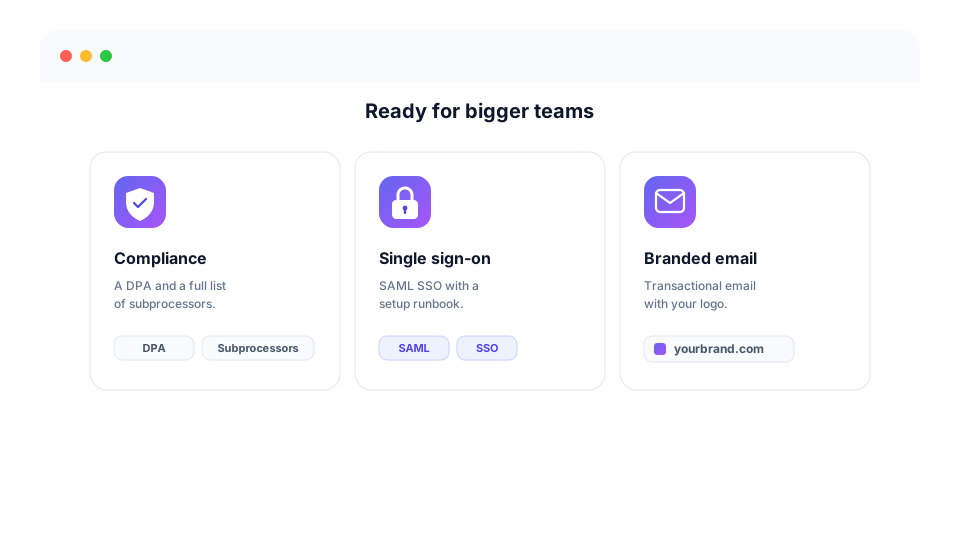
The groundwork for larger customers landed early.
- Compliance you can read before asking. A data processing agreement and a full list of subprocessors, published on the site rather than sent over on request.
- Single sign-on. SAML sign-on with Okta, Entra or Google Workspace, set up with you on request rather than self-serve.
- Email that looks like you. Branded transactional email instead of generic defaults.